

Live Preview editor
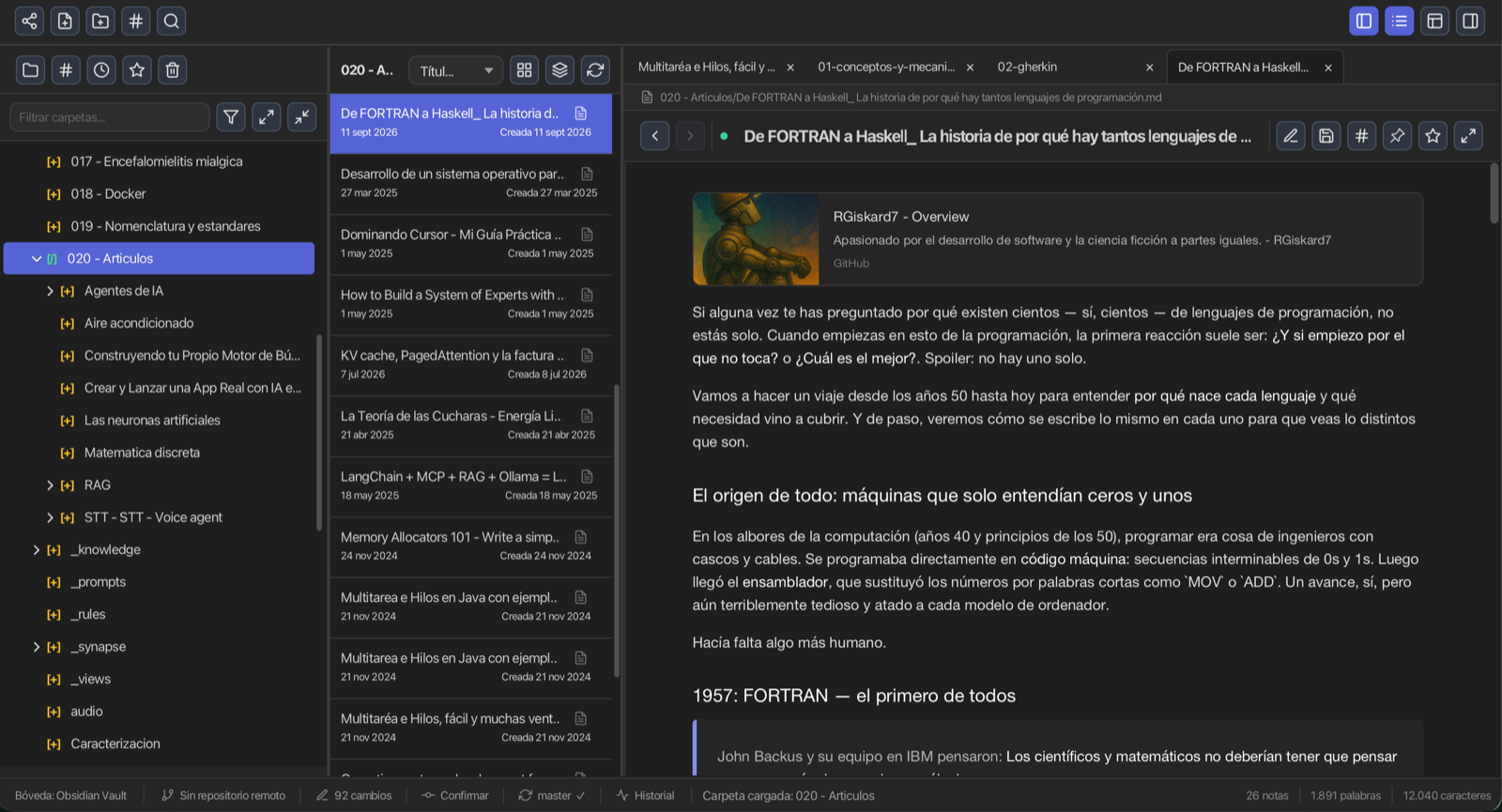
A local-first desktop app for Markdown notes, wiki-links, backlinks, knowledge graphs, Kanban, Canvas, plugins and Git sync.
Free and MIT-licensed — no account, no cloud, no telemetry

Packages for the current release for Windows, macOS and Linux — plus a JBang launcher if you prefer to run it without installing.
jbang jylos@RGiskard7/jylosNotes, wiki-links, a knowledge graph, Kanban, Canvas, plugins and Git — all offline.
WYSIWYG: type Markdown and it renders as you type — GFM tables, KaTeX math and emoji.
Wiki-link autocomplete, backlinks panel and click-to-open navigation between notes.
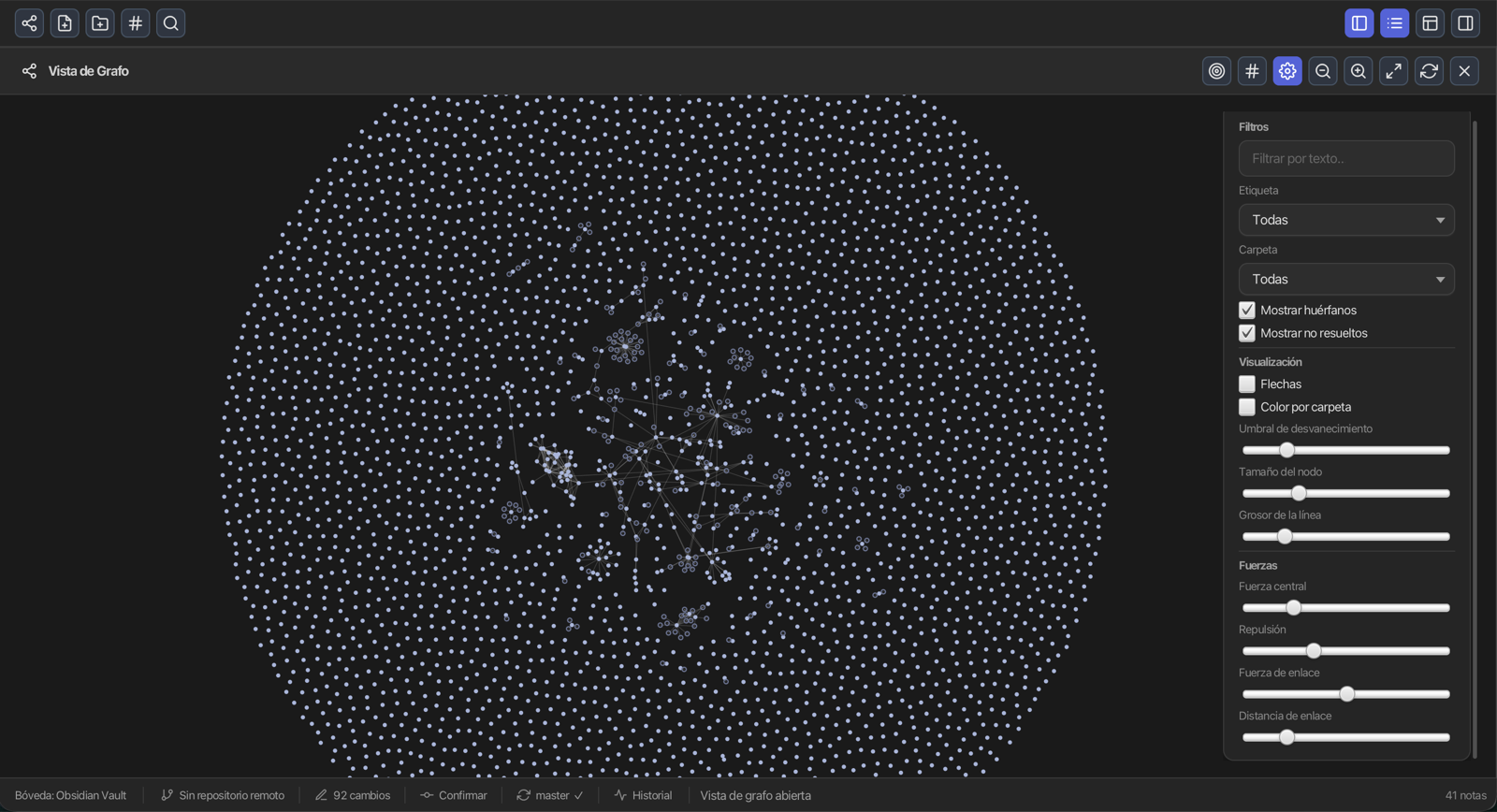
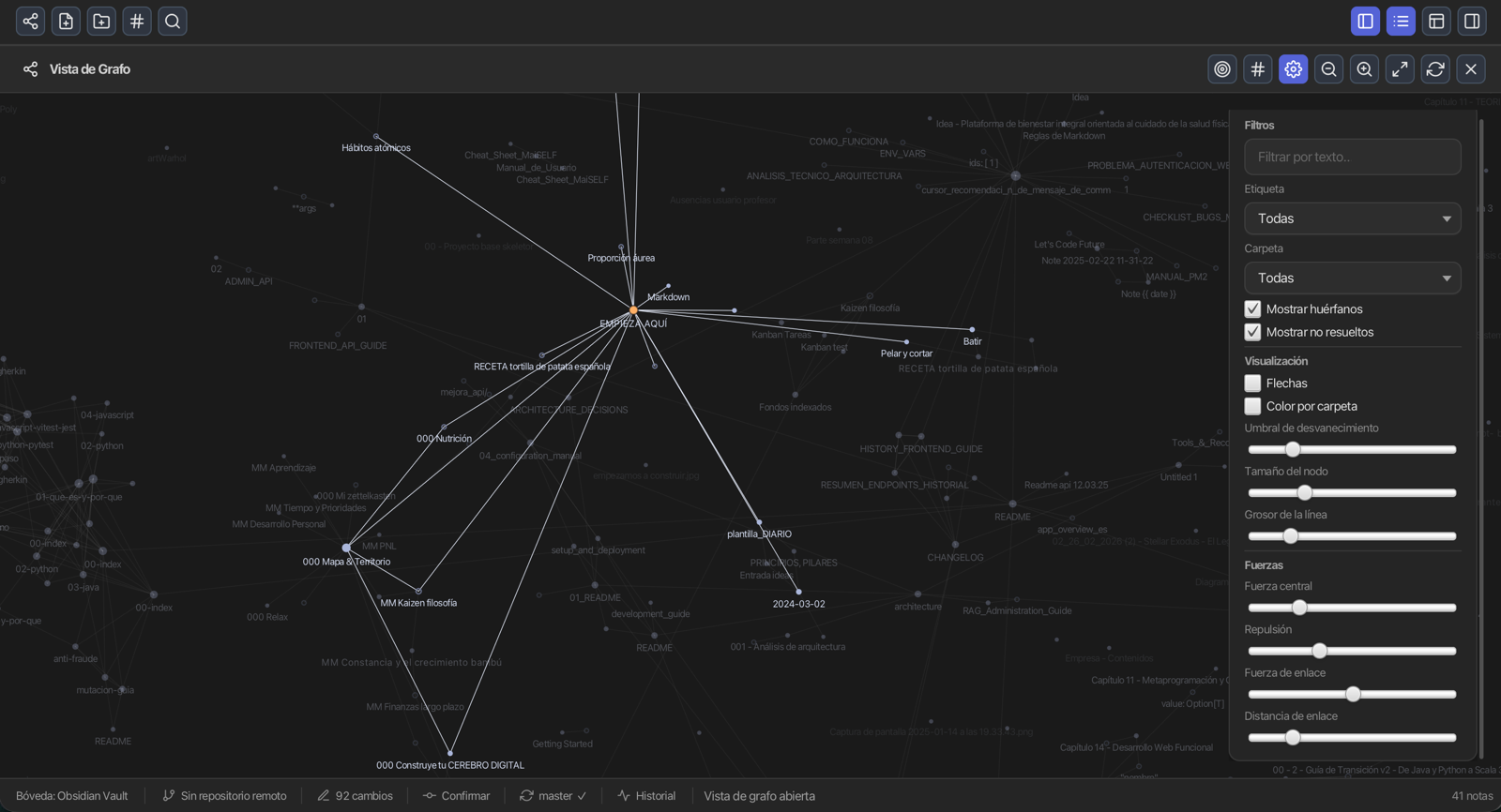
Interactive force-directed graph. Zoom, pan, drag nodes, local neighbourhood views.
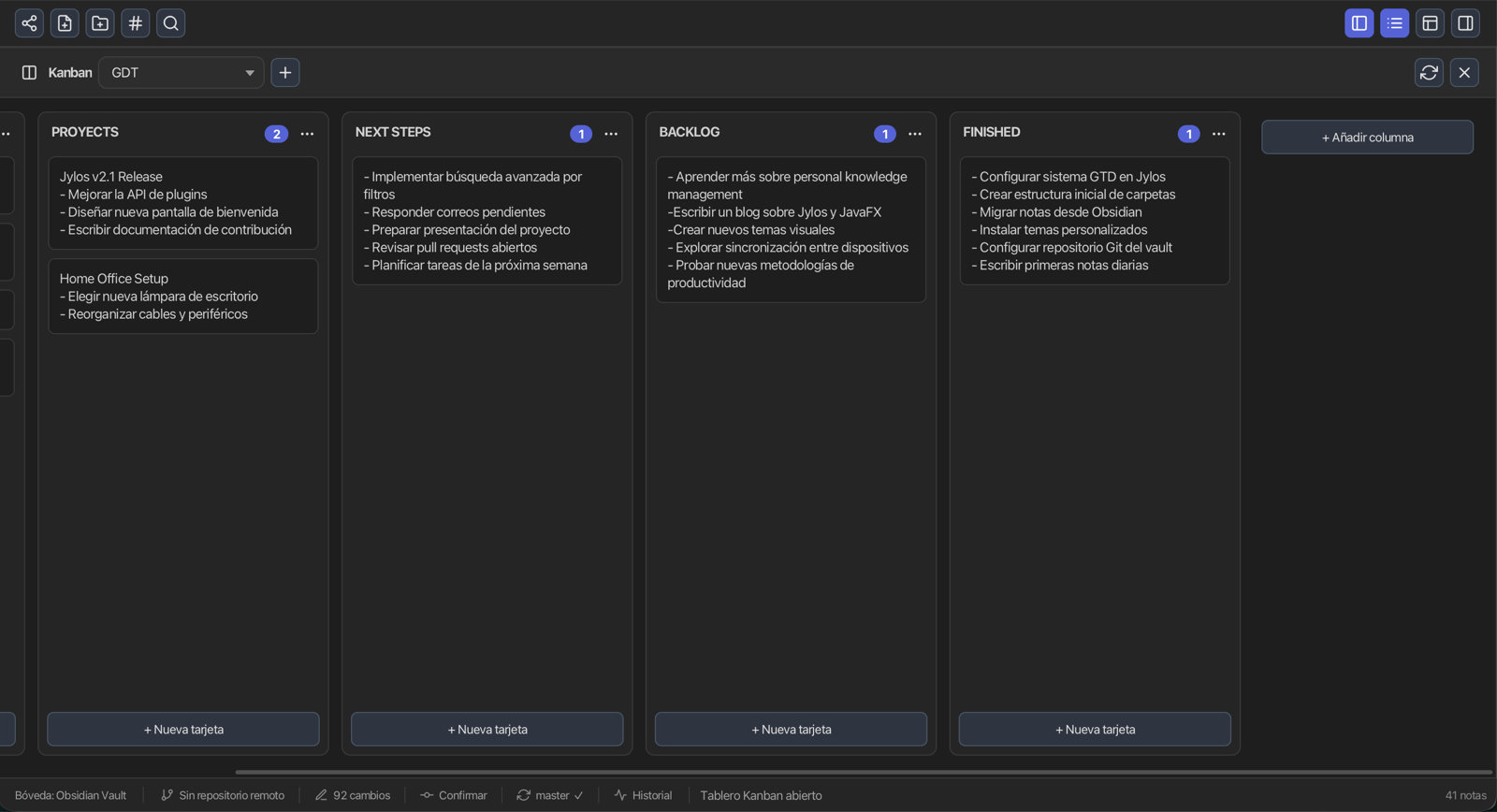
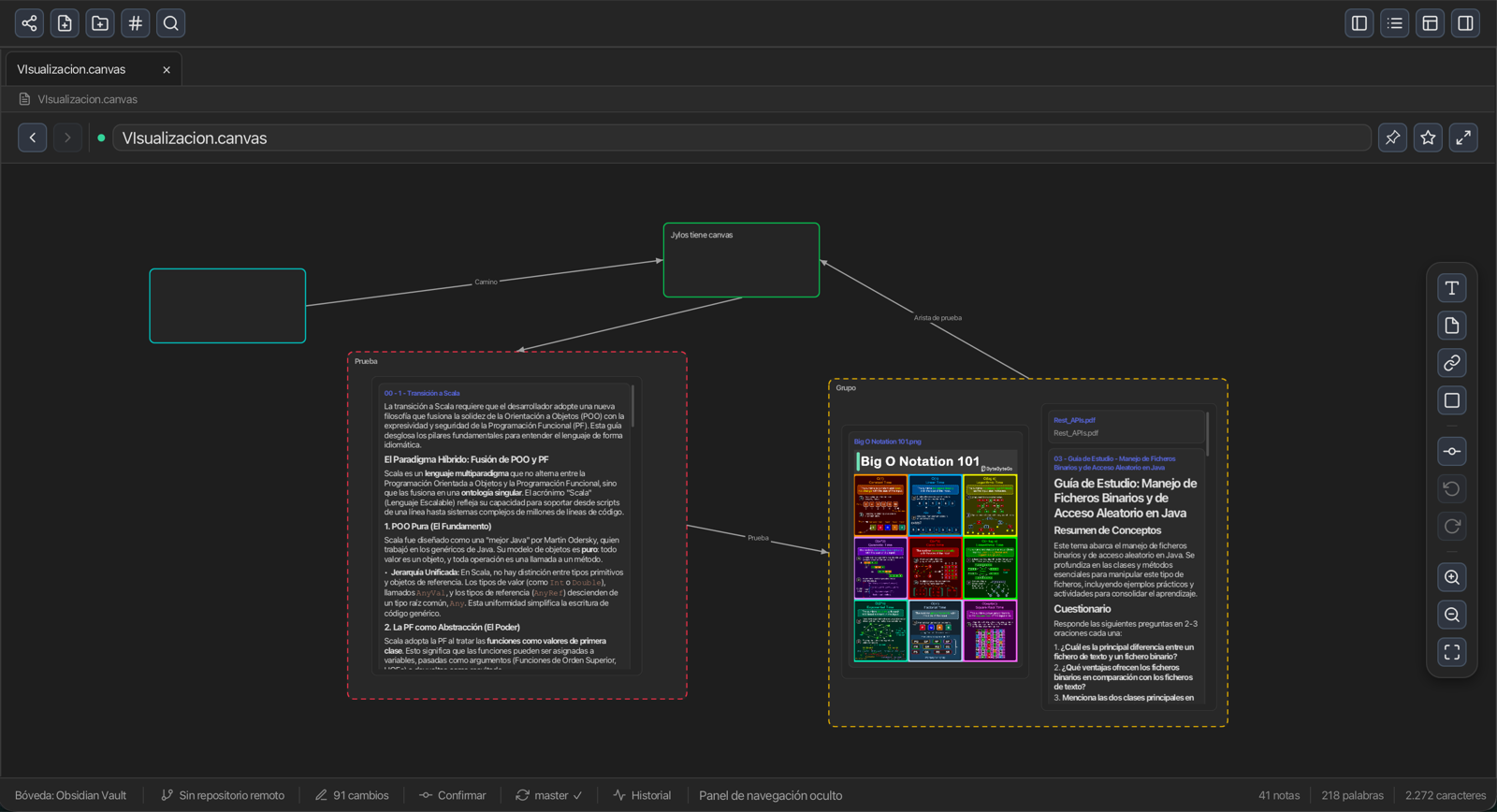
Obsidian-compatible Canvas boards and Kanban workflows for projects and planning.
Stage, commit, push and pull from a unified panel. Full Git integration in vault mode.
Encrypt note bodies with AES-256-GCM behind a master password, with delete protection.
SQLite database or plain Markdown vault. Switch anytime, your choice.
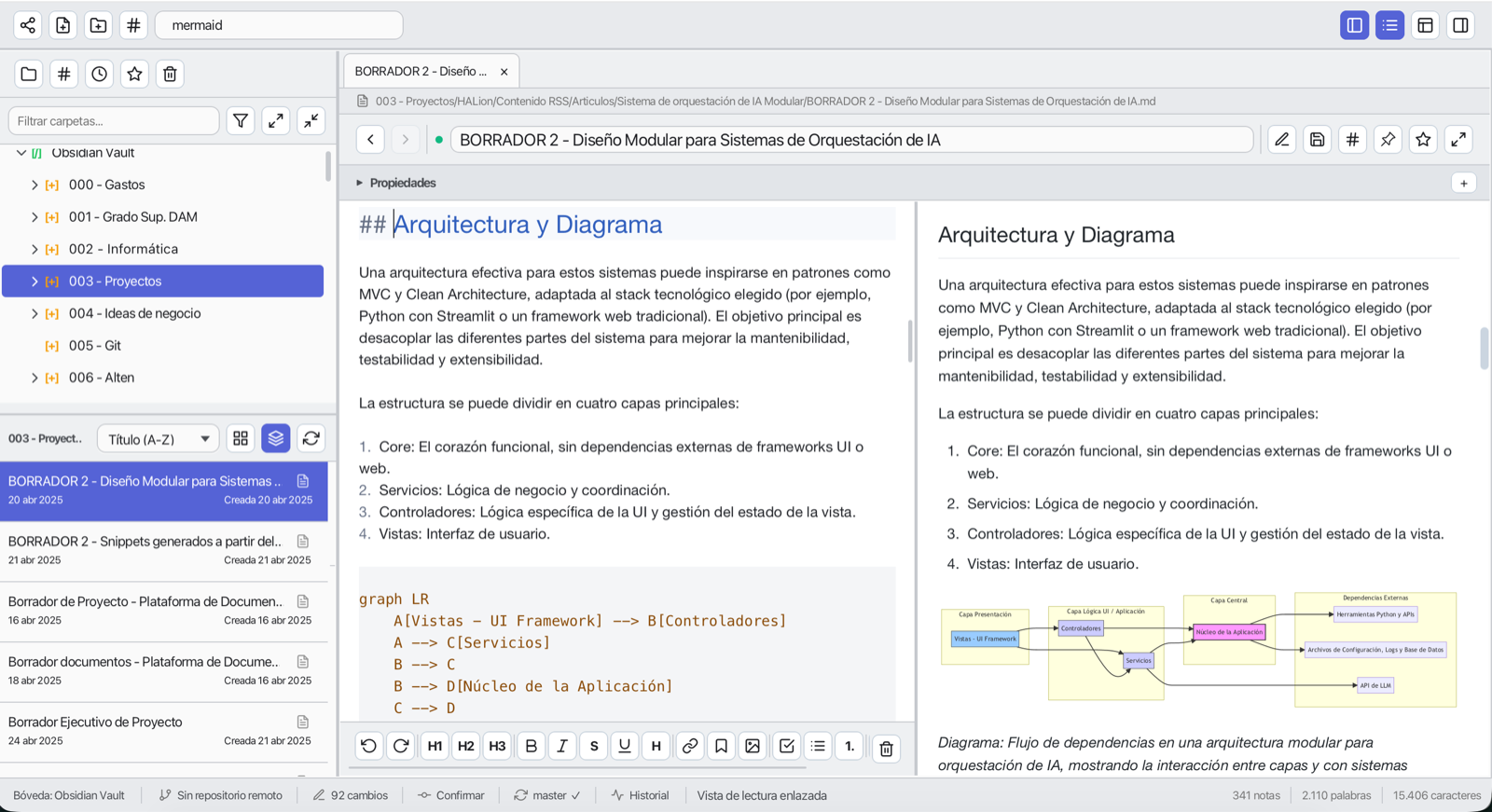
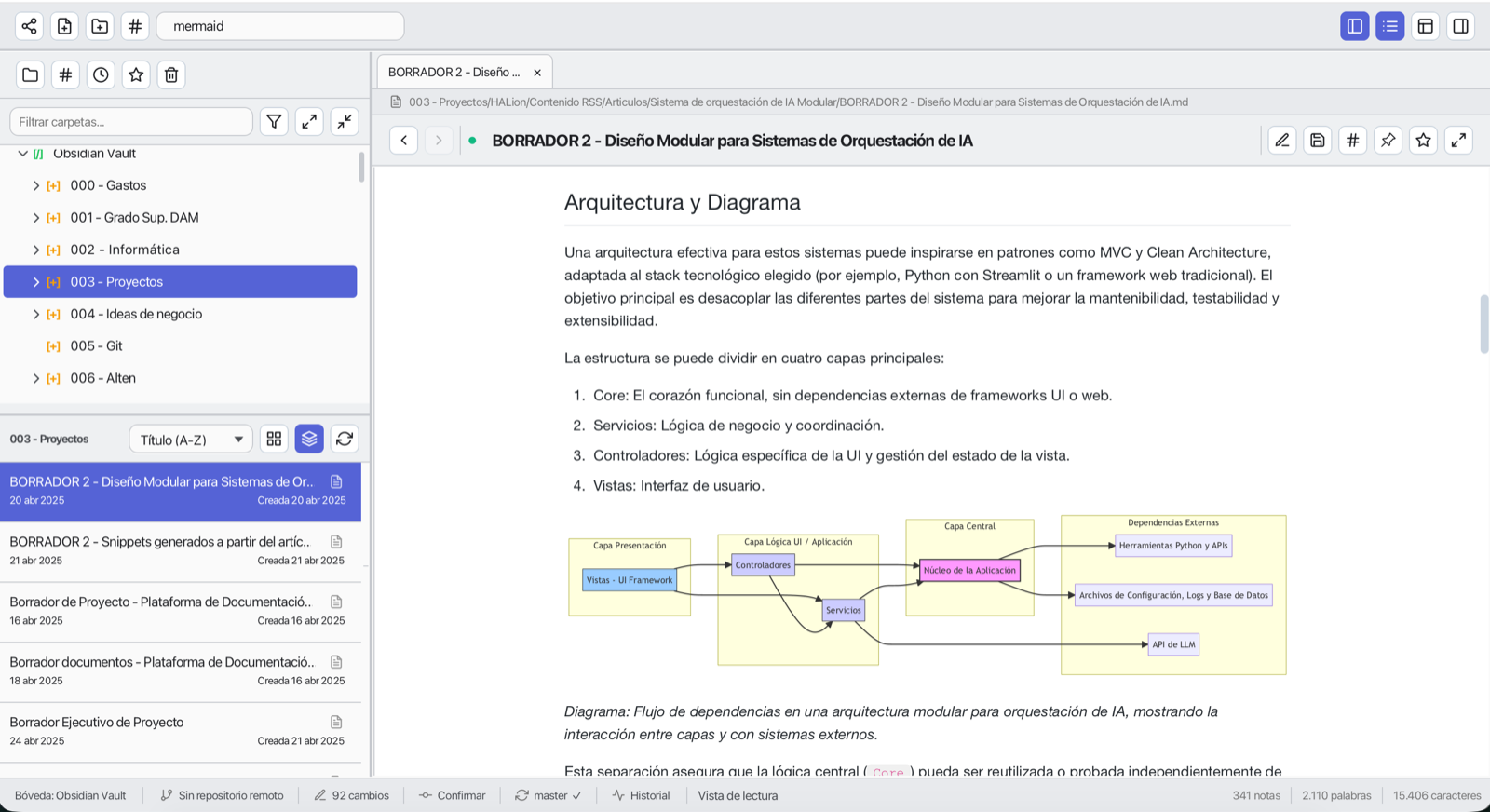
Plugin JARs, Mermaid diagrams, CSS themes, snippets and a plugin manager.
Operators, date shorthands, command palette and quick switcher.
Save and restore open tabs, view state and layout per context.
Built on CodeMirror 6, it renders as you type — true WYSIWYG. You see GFM tables, KaTeX math, emoji and `![[embeds]]` live, while the Markdown source stays available when you want it.
A force-directed graph built from your wiki-links. Zoom, pan and drag, open any note with a click, and switch between the whole vault and the local neighbourhood of the note you are reading. Knowledge Insights also reports orphan notes, broken links and a graph health score.
A board is just a note whose headings are columns and its list items are cards — drag cards across columns, set WIP limits and colors. The Canvas editor opens Obsidian-compatible `.canvas` files on an infinite surface.
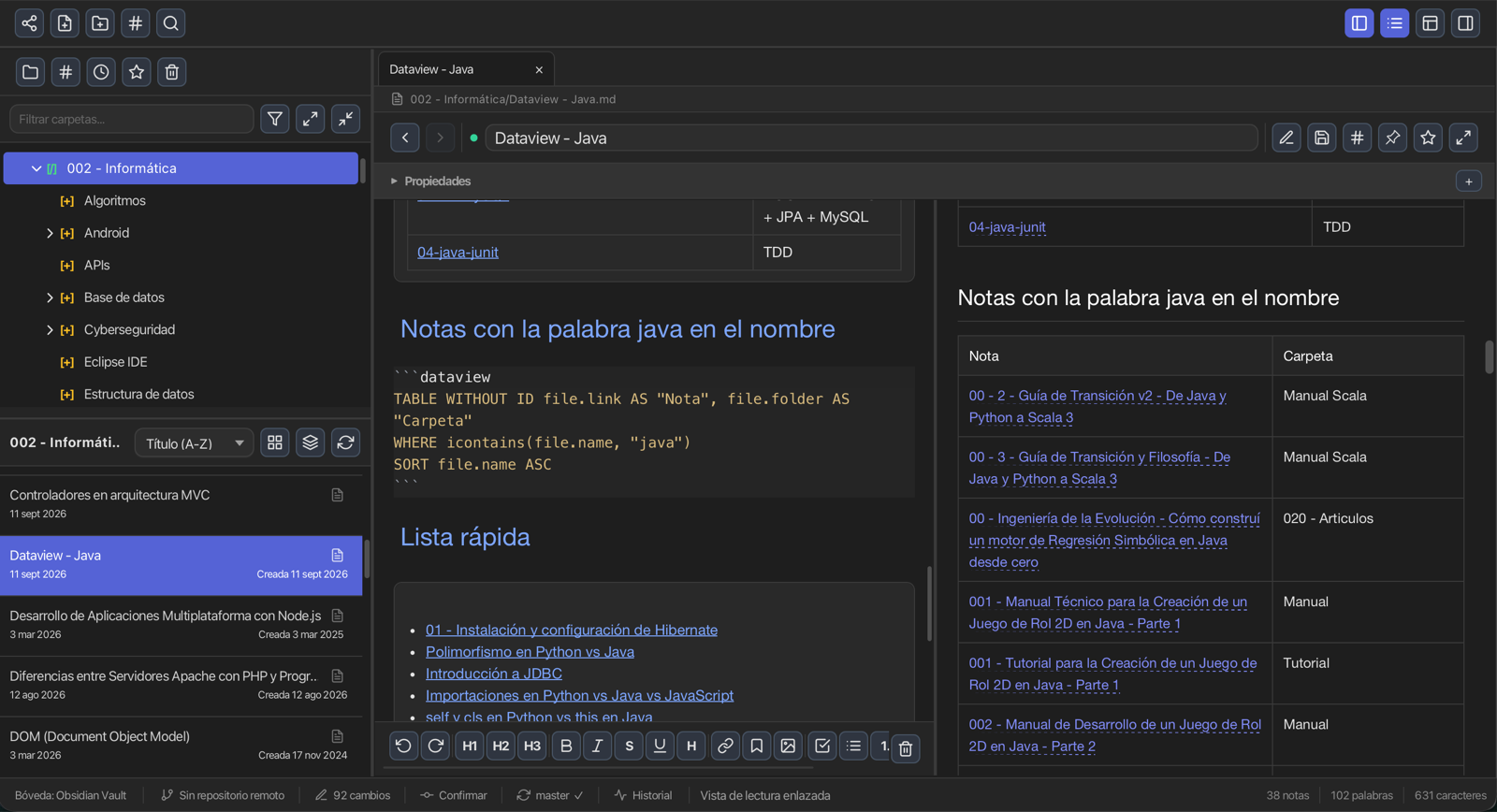
Dataview, MCP Server and Publish ship built-in; drop external JARs into the plugin folder to add commands, side panels, preview enhancers and toolbar buttons. CSS themes and snippets restyle the app.
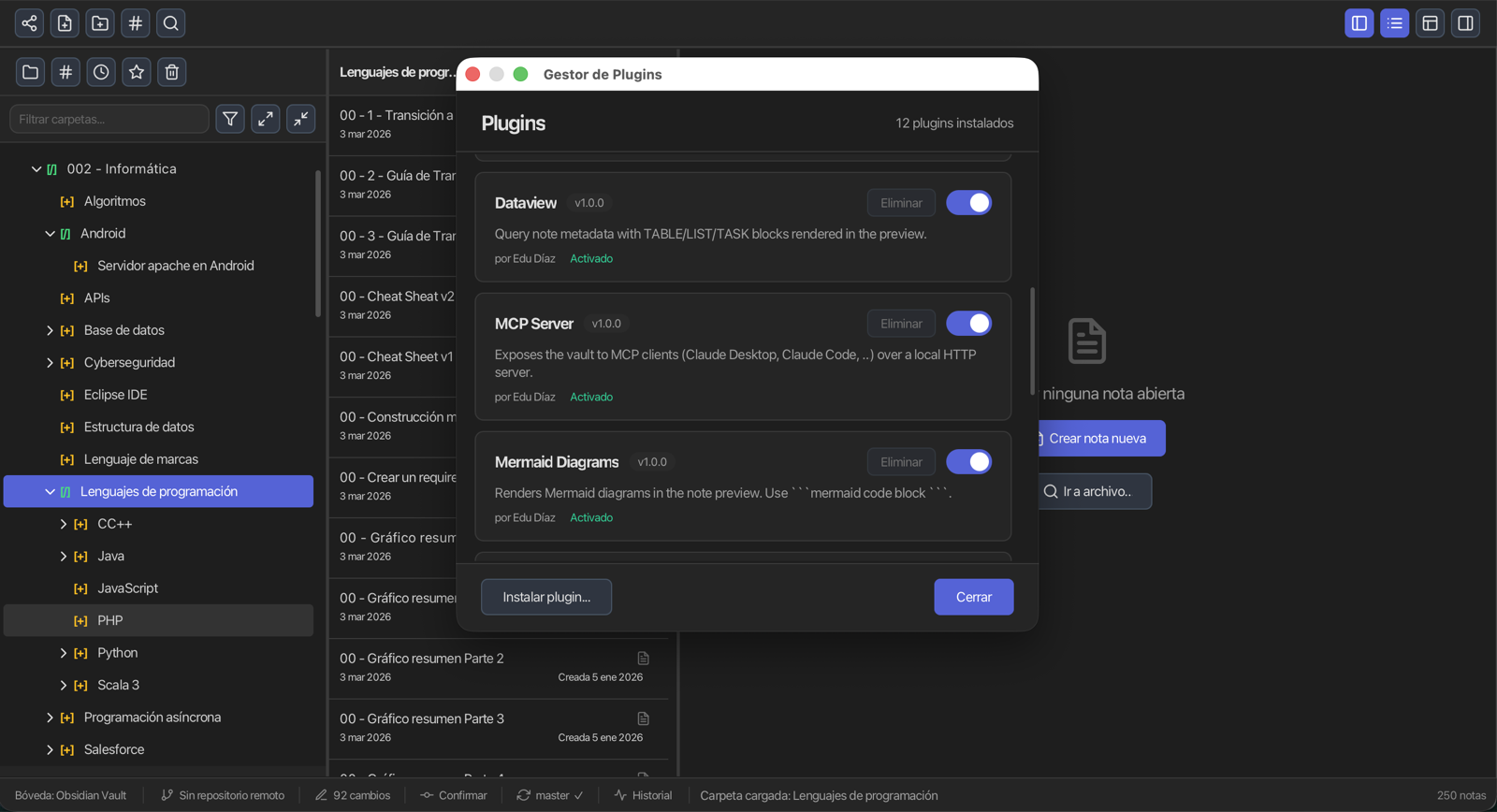
Three built-in tools that go beyond note-taking — on by default.
Query your notes' metadata like a database. A dataview block renders live in the preview.
Exposes your vault to Claude Desktop, Claude Code and any Streamable HTTP MCP client over a local server.
Exports the whole vault to a self-contained static site — ready for GitHub Pages or any static host.
Guides and technical docs live with the code, so behaviour and guidance evolve together.
Download Jylos, run it for the first time and create your first notes.
How notes, wiki-links, backlinks, Kanban, Canvas and Git work together.
Write and link notes, organize with Kanban, and publish your vault as a static site.
Architecture, plugins, storage and event contracts for contributors.
Everything stays on your machine — plain files, open formats, no cloud, no tracking.
SQLite or plain Markdown files on your disk. Your notes never leave your computer.
No sign-up, no login, no analytics.
There is no server to call. Ever.
Audit the code, modify it, contribute back.
Plain text with YAML frontmatter, no proprietary lock-in.
Windows, macOS and Linux.
Jylos is released under MIT and built with Java 21 and JavaFX 23. Issues, feedback and pull requests are welcome.
Contribute on GitHub© 2025–2026 Eduardo Díaz Sánchez (RGiskard7)